Student Tuition/Fees Online Payment Guide
- Log in to your MGA student SWORDS account.
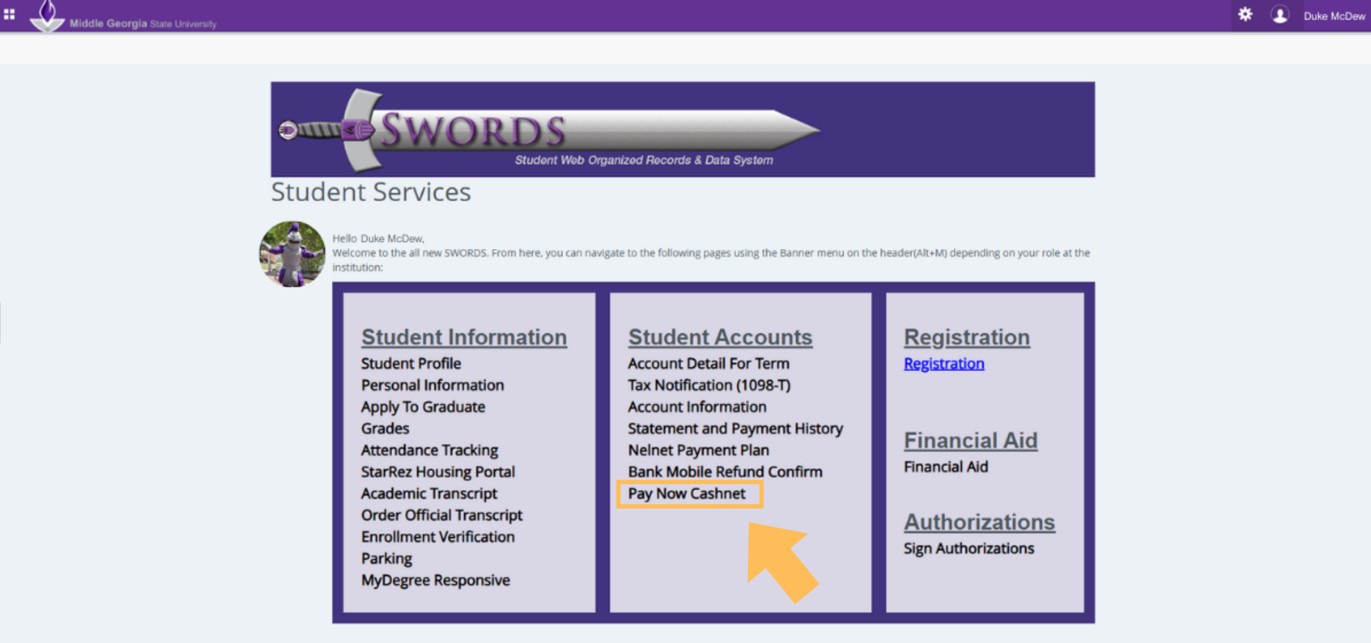
- Click on 'PayNow Cashnet' under 'Student Accounts'
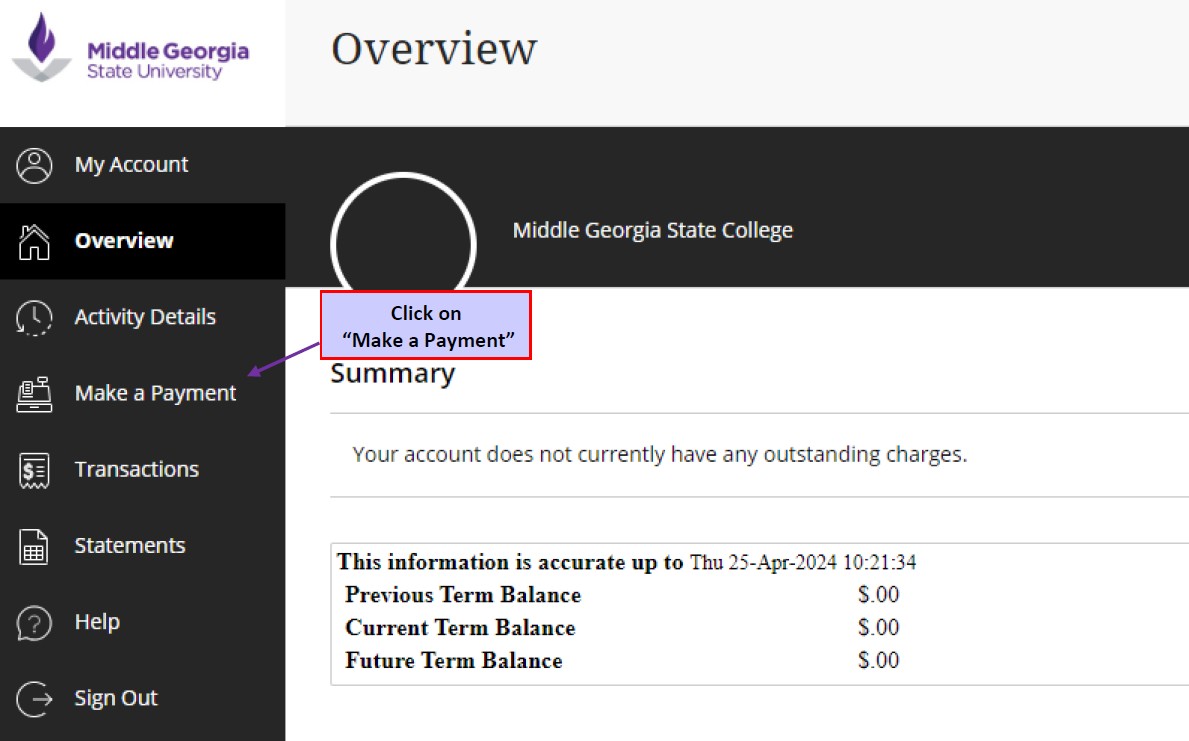
- You should be on the ePayment page. Follow steps (1-2) above if needed to return to this page.
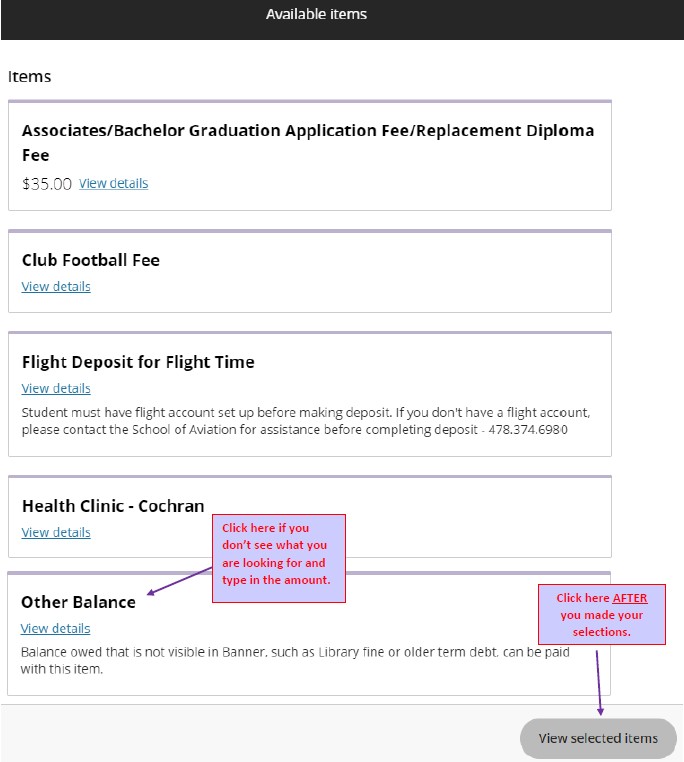
- Charges Summary, select what you wish to pay. Click on 'Other Balance' if you don't see what you are looking for and type in the amount. Click on 'View selected items' AFTER you made your selections. All tuition and fees for the current semester must be paid by the published payment deadlines.
- Once you have verified your choices and total, click on 'Checkout.'

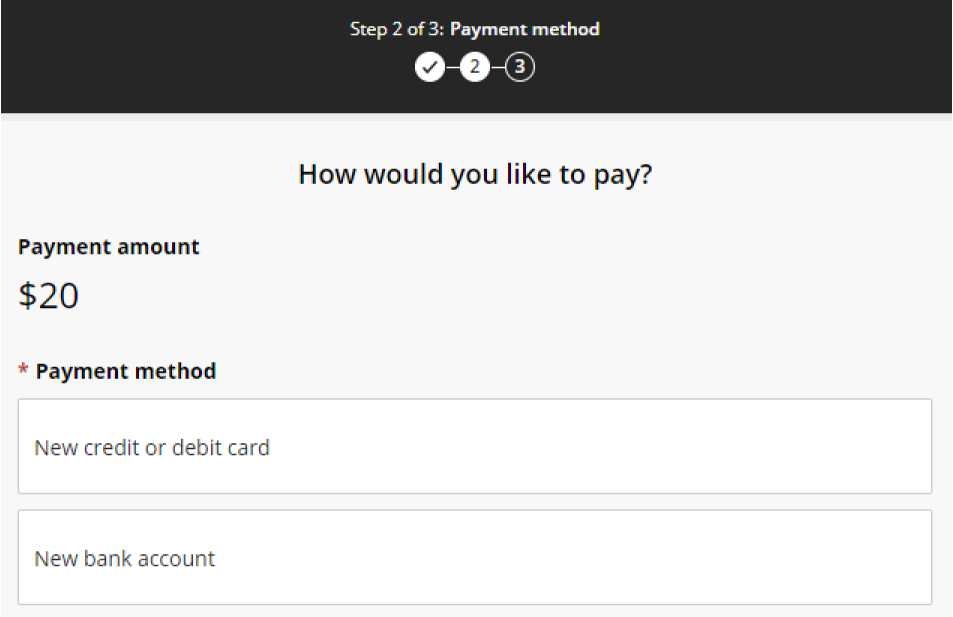
- Choose your payment method. All electronic payments can take up to 5 business days to clear. Once you submit your payment, you will receive an email confirmation.
- Credit card — Subjected to a convenience fee.
- New Bank Account (a.k.a. Electronic Check) — No convenience fee, need full checking account information and bank routing number.