


Accessing D2L for the First Time and Setting Up your Multi-Factor Authentication
- Log in to your MGA Email.
- If this is your first time logging in, your default password is: P#MMDDYY (MMDDYY = your six-digit birthday).
- Select your authentication method from the "Additional security verification" window.
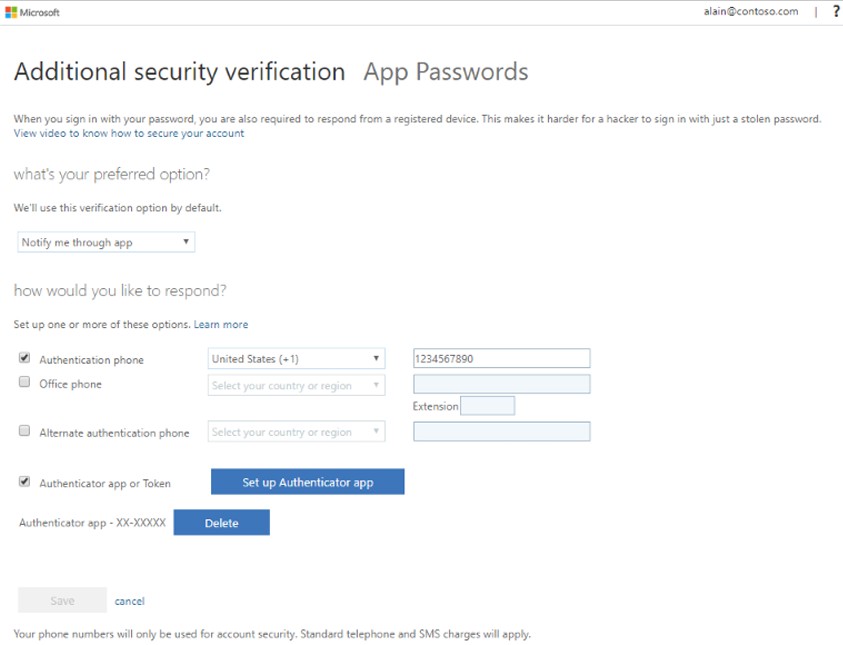
- Follow prompts on the screen and select DONE when you are finished.
- Once your multi-factor authentication is in place then go to D2L, login with your MGA credentials, and enter the verification code.
If you need further assistance, please submit a ticket online at MyMGA Student Success Hub or call (478) 471-2023 or (478) 934-3319