Stop D2L Texts
If you have your cell phone setup to receive notification from inside of Brightspace (D2L), below are the quick steps to disable notifications from being sent to your cell phone.
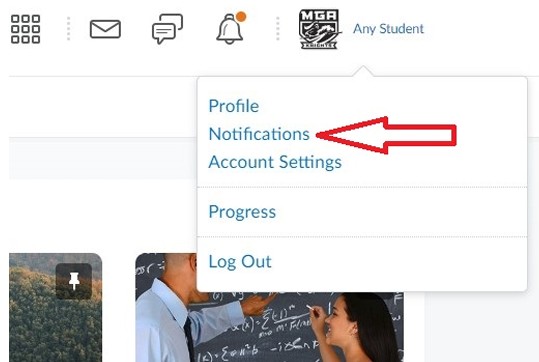
- From the My Home page on D2L Brightspace, click on the profile icon next to your name from the top menu bar. Click on "Notifications."
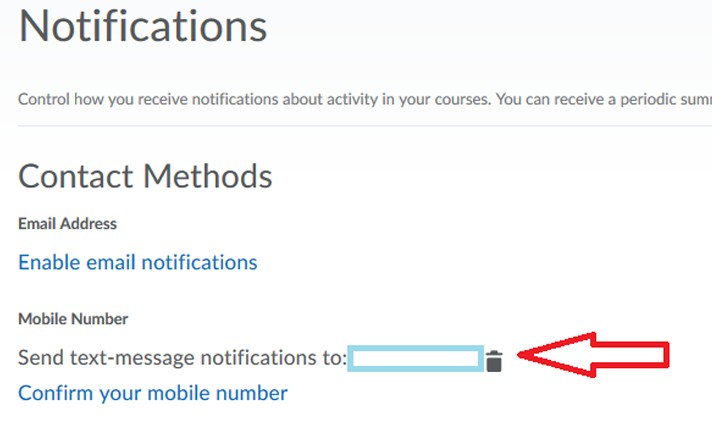
- Click on the trash icon next to your phone number. Click "Yes" on the confirmation screen. This number will no longer receive notifications from D2L Brightspace.