Register for Classes
Get the Classes You Need – Steps are at the top of the course schedule page
View the Academic Calendar for registration and other key dates
Once your class schedule is completed, make sure that your financial aid and/or your payment are in order.
- Office of Financial Aid
- Student Account Services (How to view/pay your balance)
If you haven't already been accepted to MGA yet, please visit Admissions.
Instructions for Class Registration on SWORDS
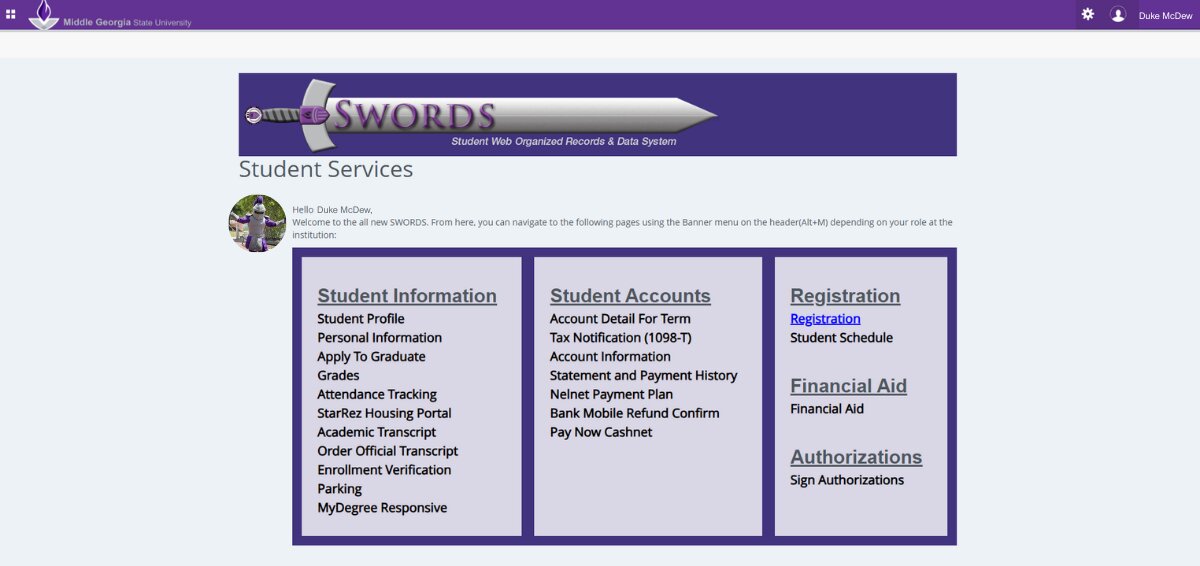
Step 1
Log in to SWORDS & Click on "Registration."
Step 2
Click on "Register for Classes."
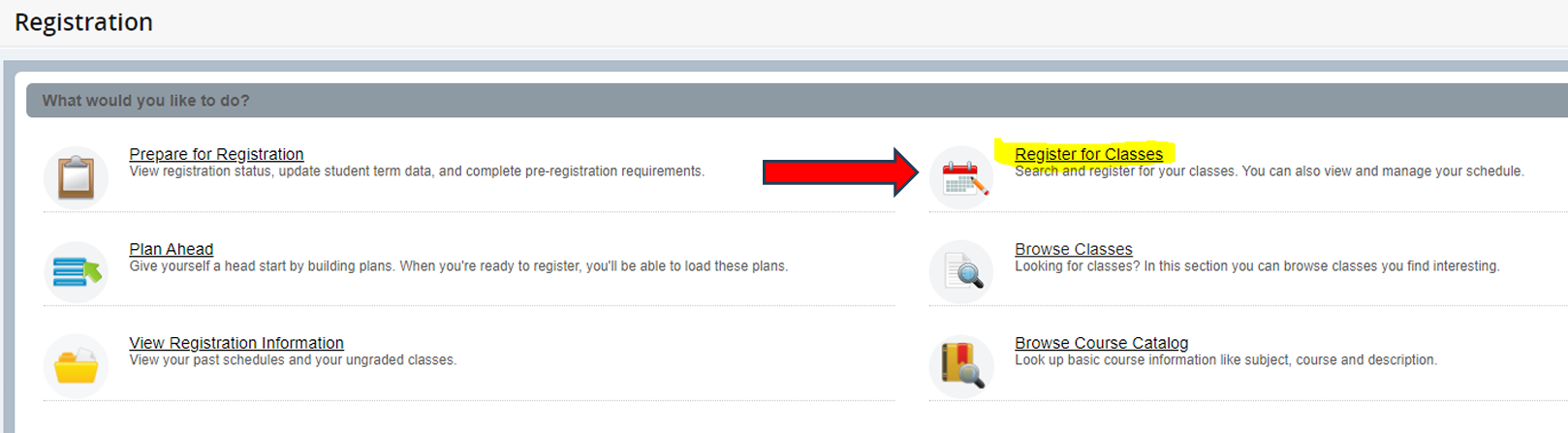
Step 3
Click on the dropdown menu for "Terms Open for Registration" and select the term/semester you'd like to register for.
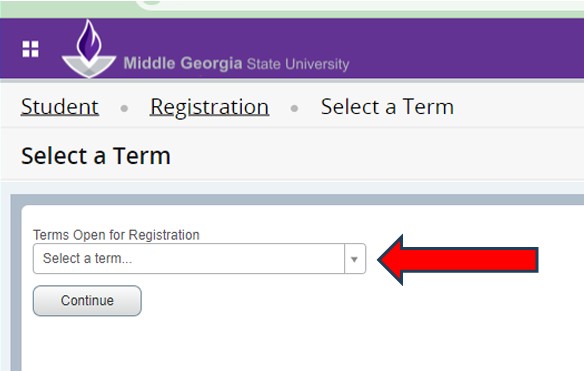
Step 4
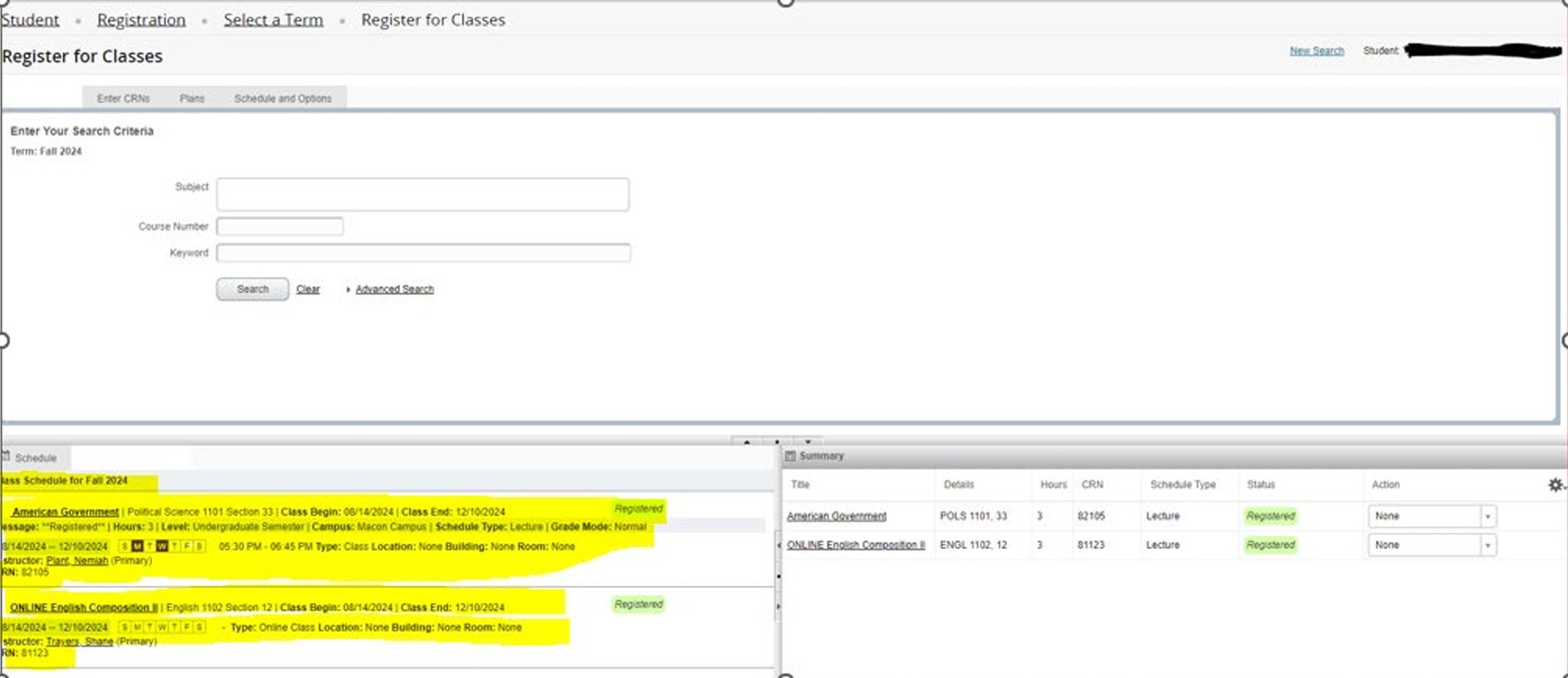
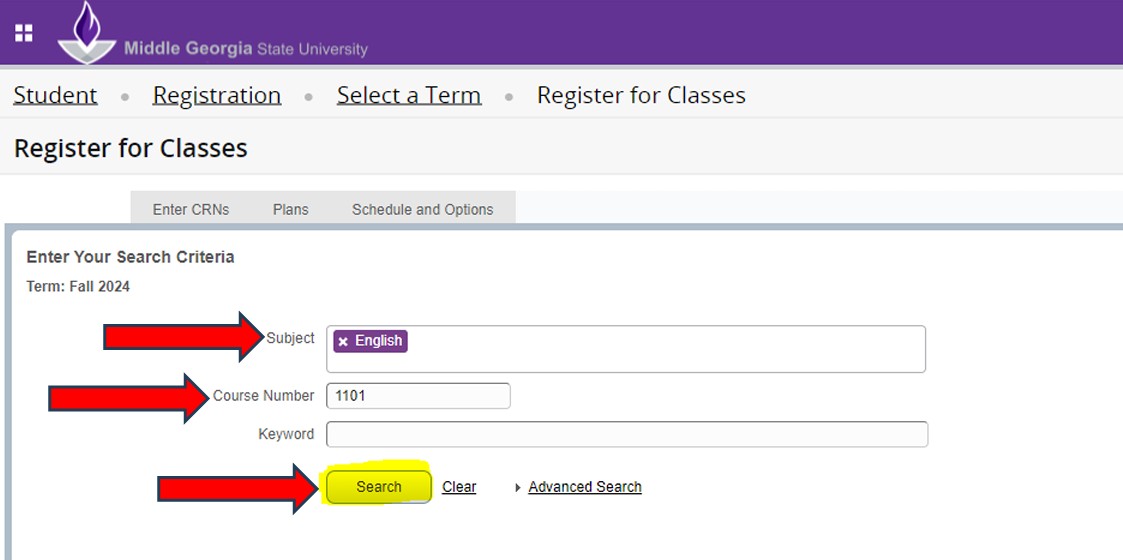
Enter your search criteria. Fill in the "Subject" and "Course Number" fields. Click "Search."
Step 5
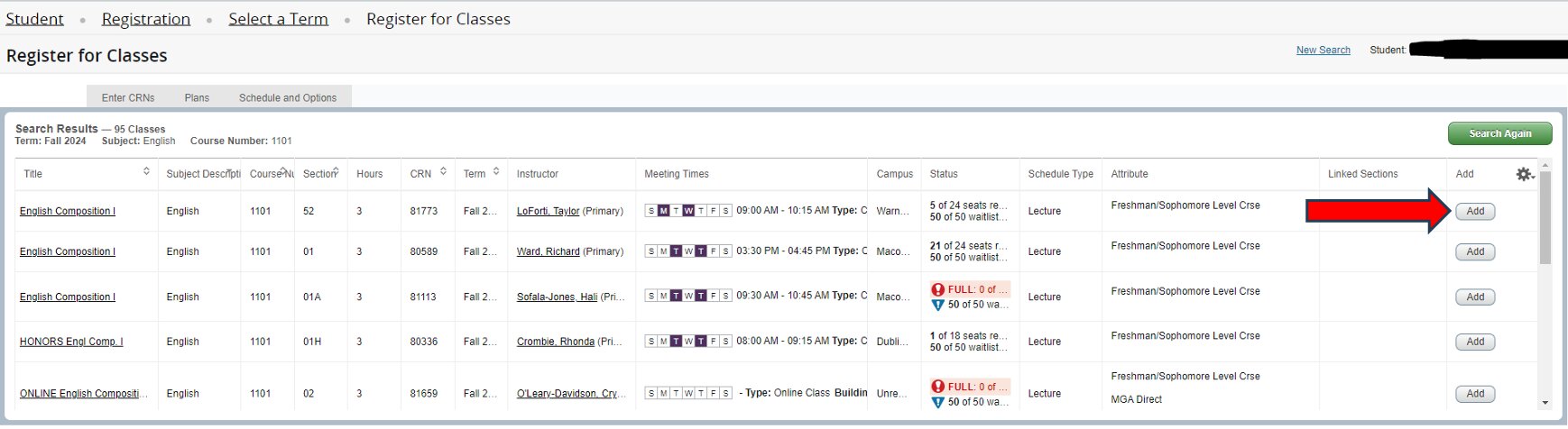
Click the "Add" button for the class you want to register for (located on the far right column). If you receive an error message, contact your Advisor.
Step 6
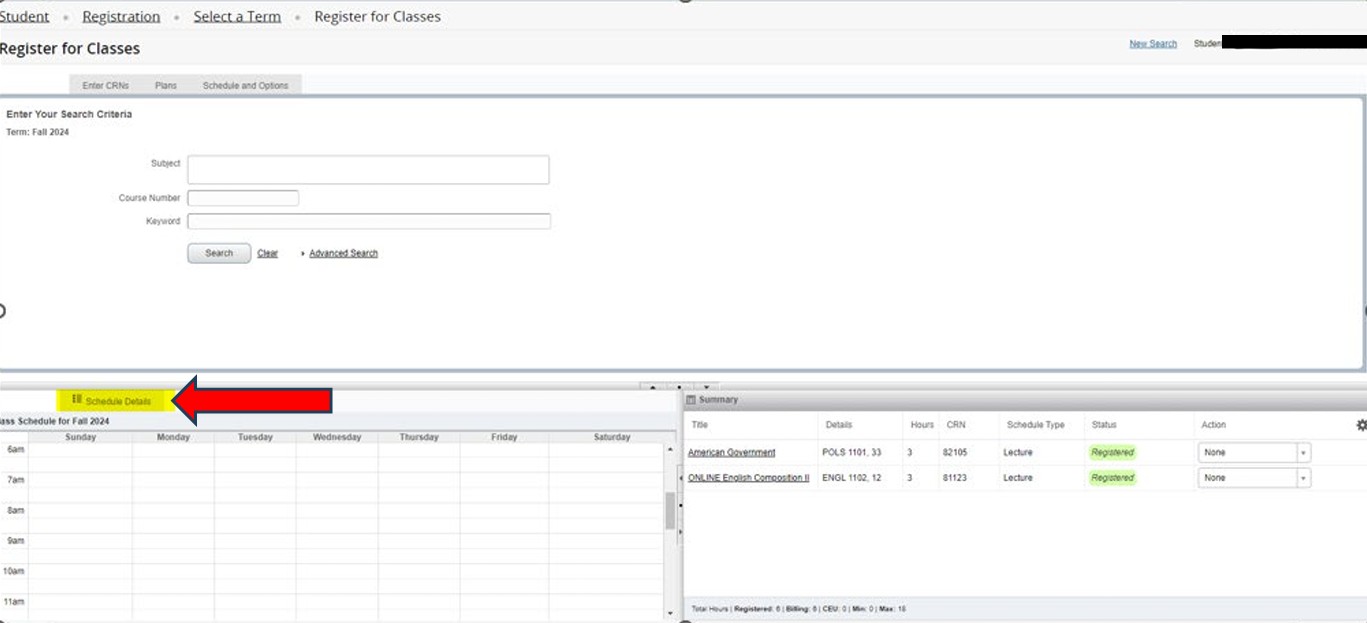
Click on the "Schedule Details" button located above the "Class Schedule for [Semester & Year]" table.
Step 7
Review your schedule details from the bottom-left table view.